Alive Atoms

Alive Me

Your expertise, for hire.

Your Alive Me is a digital clone you train to represent you. Give it your likeness, your voice, and the judgment behind your work. A company across the world could hire it for a role you approve, put it to work on a website or in a physical body, and pay you for the result.

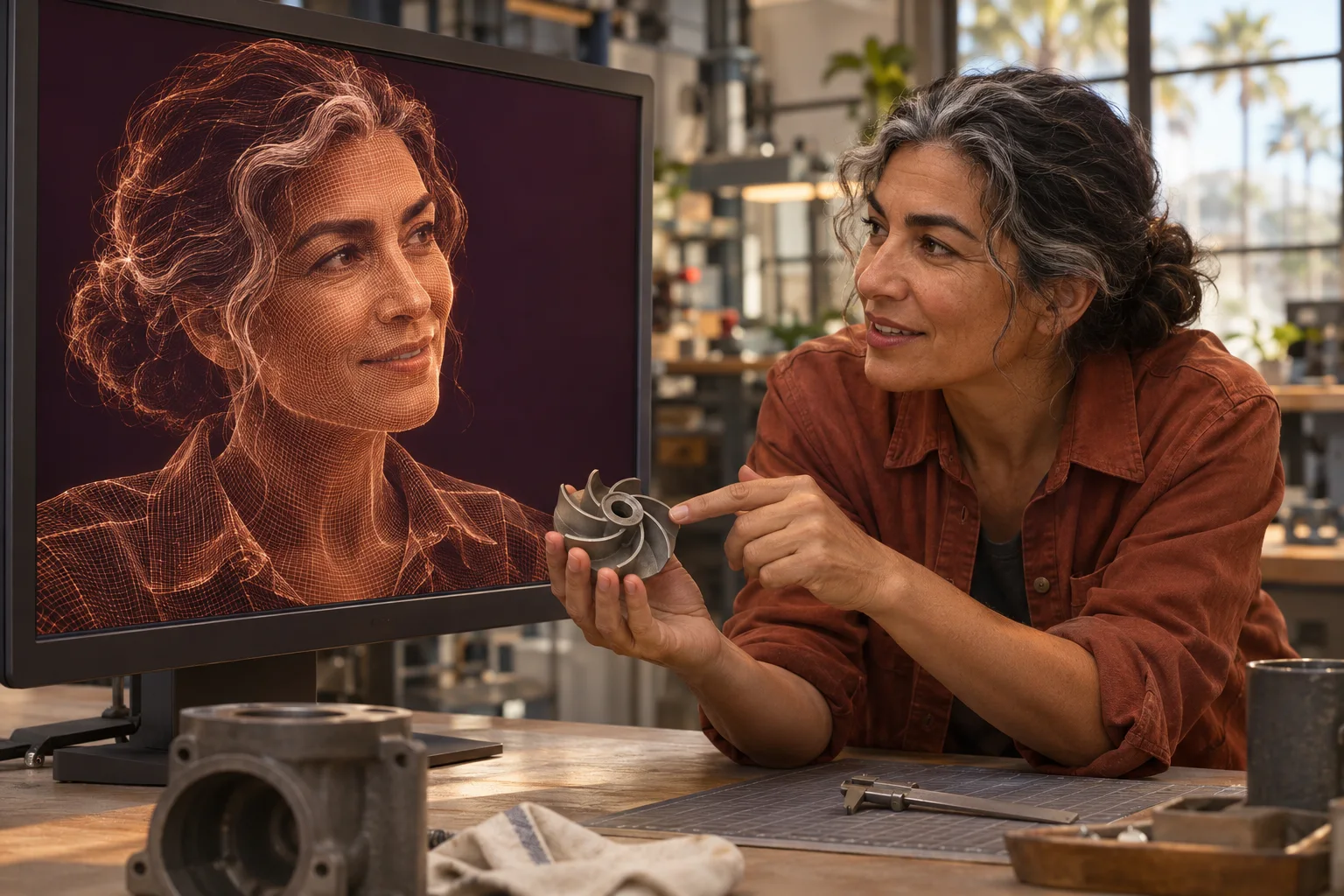
A pool-equipment trainer explains an impeller to an on-screen AI avatar modeled on her own face.
Elena teaches her digital counterpart.Concept portrait

How it learns

Teach it the part that took you years.

A photo gives your avatar a face. The question you ask before you open a manual gives it a little of your judgment.

Your computer and your craft
Choose a project folder, a checklist, or a screen recording of you at work. Talk through which details you trust and why.
Your conversations and lived experience
Tell it about a job that changed your approach. Share a conversation with the participants’ permission, then explain what you heard that a beginner might miss.
Your photos, videos, and demonstrations
Show two parts that look alike. Point out the difference. Record yourself doing the task and explain the moment you decide what to do next.

You choose which sources stay personal, which lessons a client may use, and when a correction is ready to represent you.

Sample teaching session

“My pump is louder. Should I replace it?”

Elena, an illustrative pool-equipment trainer, tries a customer question with her Alive Me.

Read the first answer
Alive Me

“Which replacement model are you considering?”

Elena hears it skip a step. The caller hasn’t described what changed yet.

Read Elena’s correction
Elena

“Ask when the sound changed and what happened just before it. Give those notes to the technician who will assess the pump.”

Try it on a different call
New caller

“It started making a noise after last week’s visit.”

Revised Alive Me

“What work was done during the visit, and when did you first hear the noise? I’ll put both in the technician’s note.”

Recursive self-improvement (RSI), in practice. The agent compares its answer with Elena’s correction, proposes a change, and retests the old case and a new one. In this design, Elena approves the lesson before clients use it and can restore an earlier version.
Owner-authorized work

A California trainer.
A team in Perth.

Picture an Australian service company hiring Elena’s Alive Me to coach its intake team while Elena is doing her own work back home.

  1. Find a fit. Elena could authorize her agent to look worldwide for training assignments, shortlist them, and draft a proposal. She decides who it may approach.
  2. Agree on the work. The company would specify the task, allowed materials, duration, and fee. Elena could accept, decline, or narrow the assignment.
  3. Deliver and earn. The AI would introduce itself as Elena’s representative, perform the agreed work, and hand exceptions to a person. The client would review the result and pay Elena under the agreed terms. She could pause the work or withdraw its authority.

Digital and embodied roles

Where would yours work?

The same identity and approved playbook could travel with your Alive Me. The device determines what it can sense, show, or physically do.

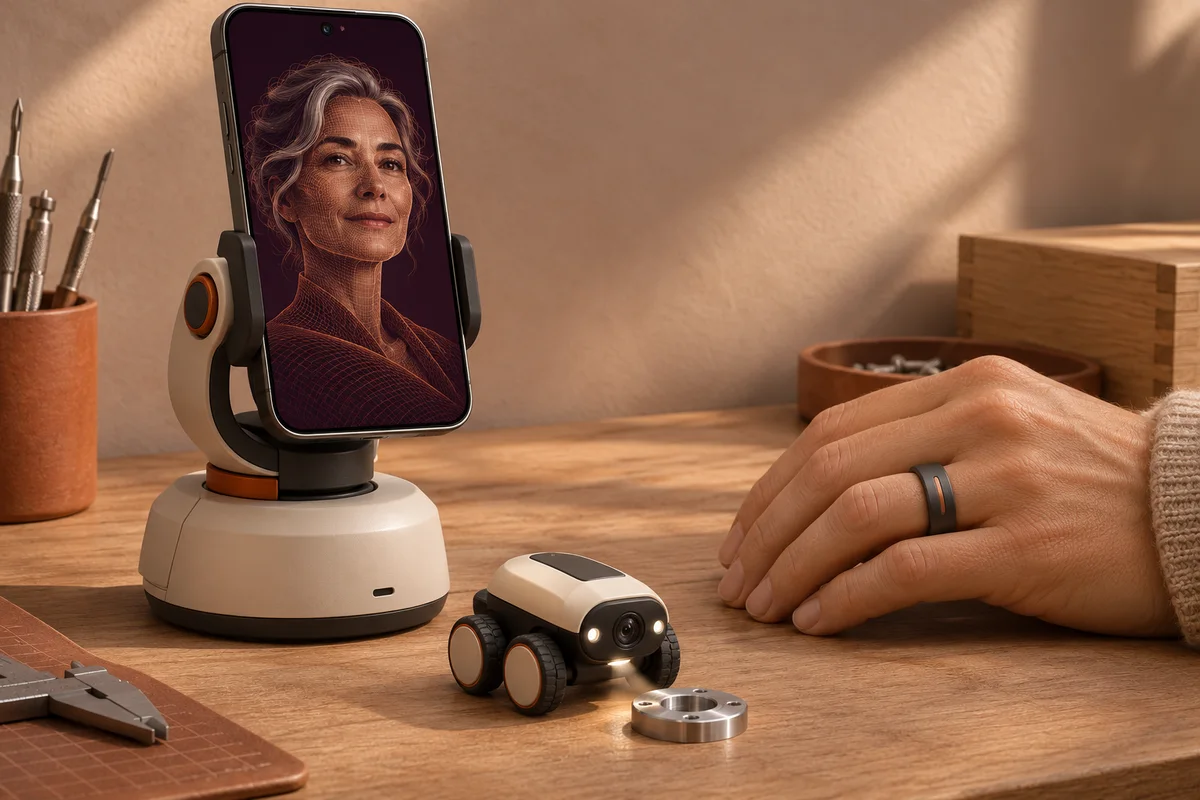
A phone robot displaying a digital expert, a small camera robot, and a smart ring worn at a workbench.
Phone robot, micro robot, and wearableHardware concepts
On a website or inside a team
A virtual employee could answer visitor questions using an approved playbook. As a personal assistant, it could prepare your morning brief or draft follow-ups in your style.
Humanoid, drone, or quad dog
A humanoid could coach someone at a bench. A drone could capture a requested project view. A facilities team could hire your quad dog to photograph the same marked spots each week and pay you per completed report.
Micro robots and phone robots
A micro robot could bring a component into close view. A phone robot could turn a mounted phone toward the part a colleague wants your Alive Me to see.
Rings and connected spaces
Tap a ring on your finger to call on your assistant through a paired phone. In your workshop, ask a home speaker where you left off on a project. At work, an authorized IoT sensor could bring a reading to your Alive Me on an office display.

Ordering an embodied Alive Me

You could order an embodiment for yourself or authorize one for a client’s location. The Perth team might order a phone robot for its counter and pay Elena per on-site coaching session. The approved profile would specify what it may do there.

From Wi-Fi to satellite

A home or business device could connect by Wi-Fi. At a remote site, compatible hardware could connect directly by satellite or use a satellite gateway, depending on its radio, service, and coverage.

First steps

Start with one thing you know well.

Bring your own photo, one example of your work, and a question you know how to answer. NetShow is the starting point for creating your digital likeness.

Start your Alive Me on NetShow
  1. Prepare your likeness.

    Take a clear, front-facing photo of yourself. NetShow documents a photo-based starting point. An optional likeness scan is part of the broader Alive Me vision.

    NetShow’s photo guide
  2. Name one skill and show it.

    Finish “I help people with…” in one sentence. Bring one file, image, or video you may share, and explain aloud how you use it to reach a decision.

  3. Rehearse as yourself.

    Ask a familiar question, a tricky variation, and one it should refer to you. Listen for your reasoning, correct the answers, and try again.

  4. Define a first paid assignment.

    Write down the result a client would receive, the information your agent may use, what needs your approval, and how you would charge. That becomes the brief for a future hire.